
How it works
From draft to paid in four steps.
Set your company up once. After that every invoice is the same four moves – and you can see exactly where each one stands.
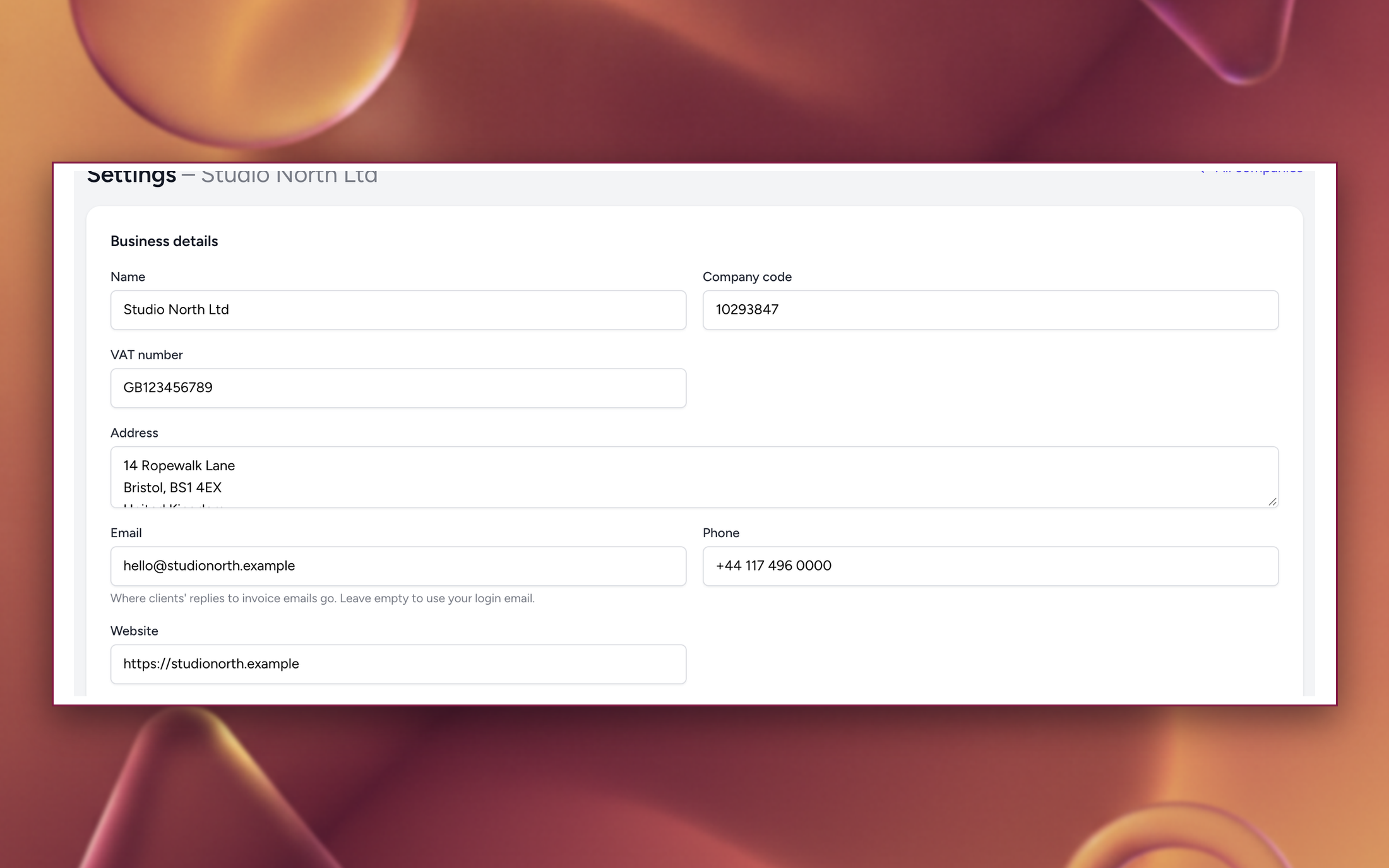
Set up your company – once
Name, company and VAT code, address, bank account, logo, currency and language. Pick your numbering format and the number to continue from, so your first HopInvoice invoice carries on where your old system stopped.
Takes about three minutes. Everything stays editable.
Add a client and draft the invoice
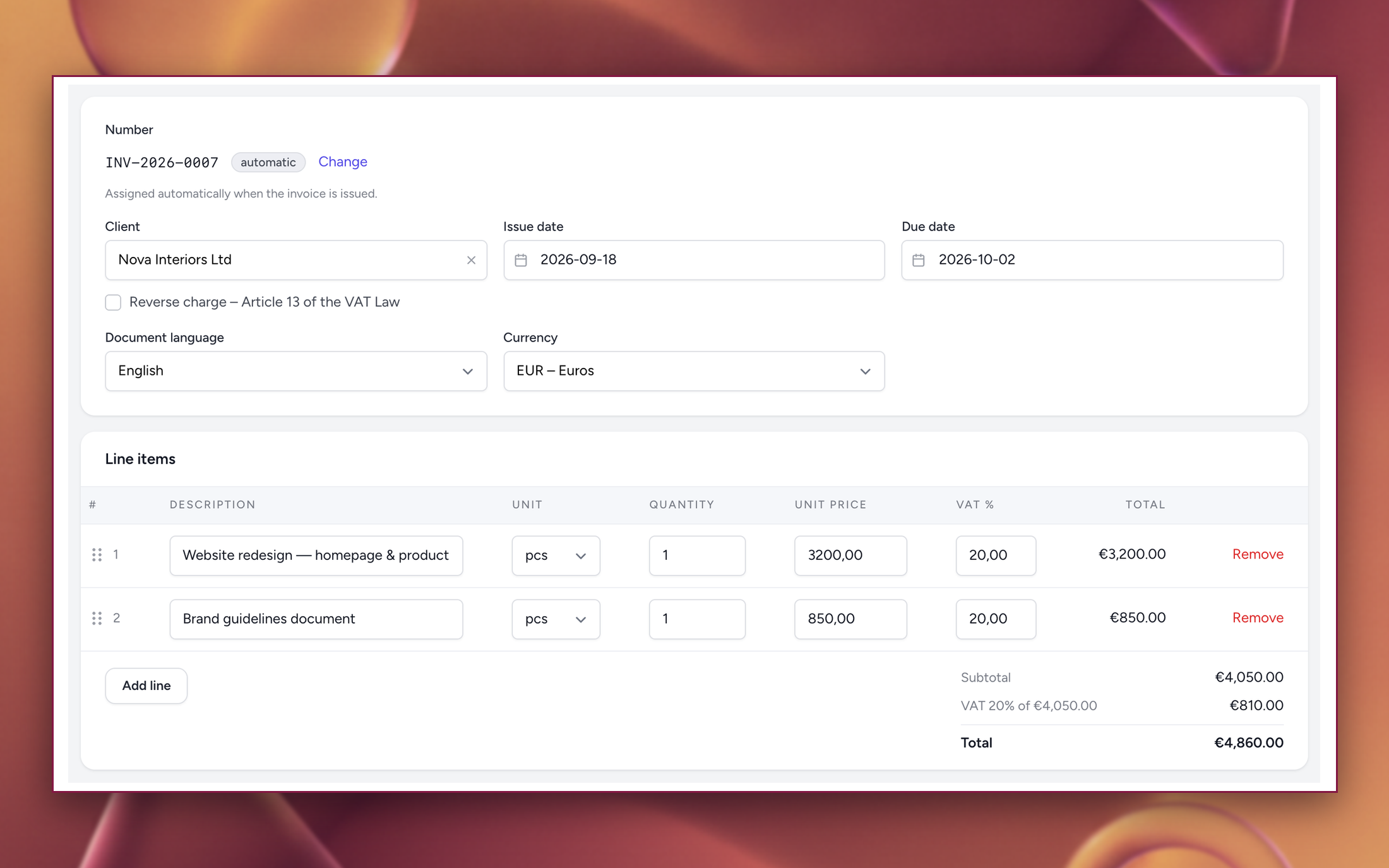
Pick the client, add your lines – quantity in pieces or hours, unit price, VAT per line or the company default. Totals and the VAT breakdown update as you type. Drafts have no number yet, so edit freely or duplicate last month's invoice and change the dates.
Drafts don't count against your monthly limit.
Issue it, then send the link
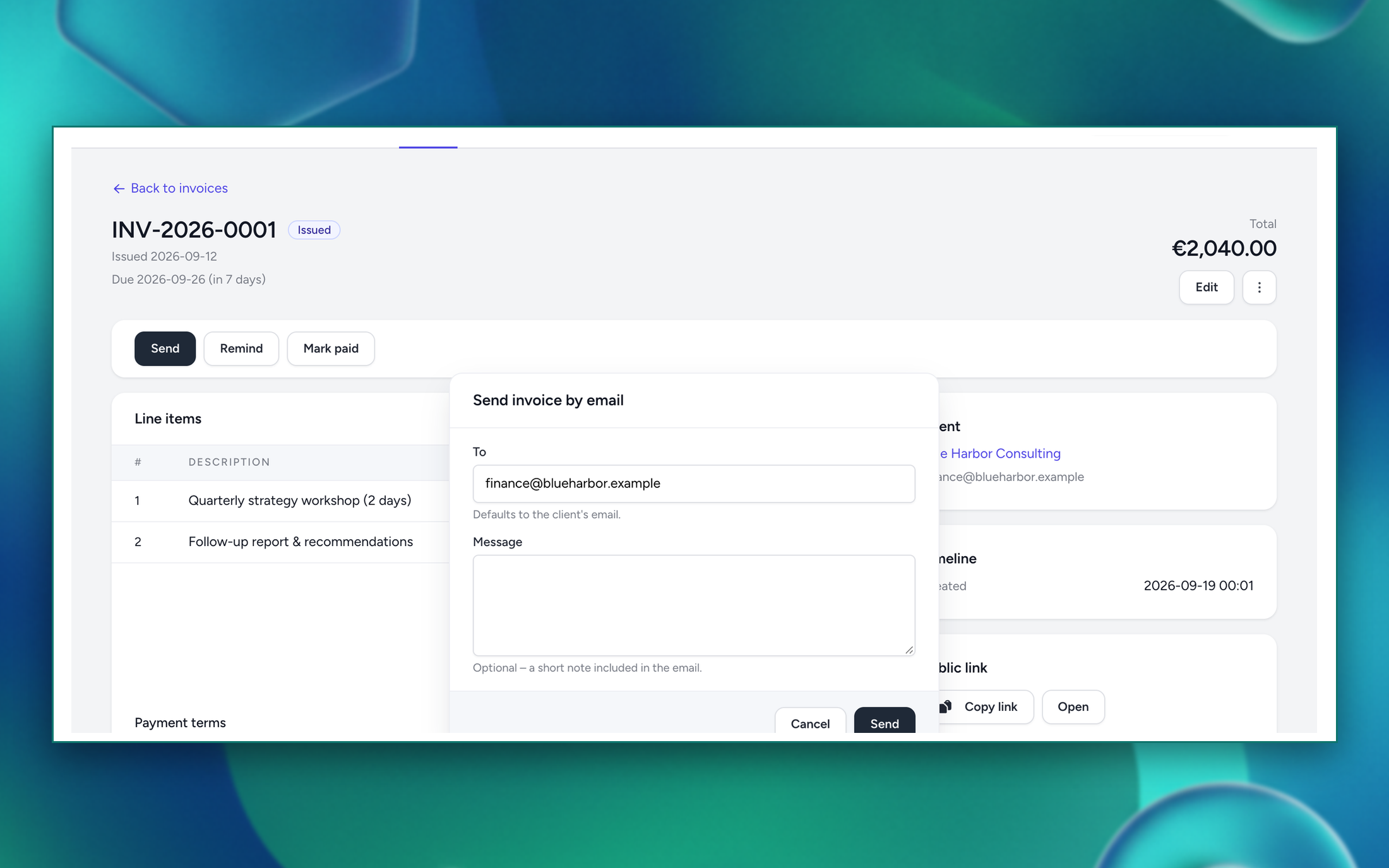
Issuing assigns the next number in your sequence – it never changes after that. Send it by email with the PDF attached, or copy the private link. Your client opens it in the browser and downloads the PDF without an account.
Made a mistake? Issued unpaid invoices can still be edited, and the number stays the same.
Track it, and get paid
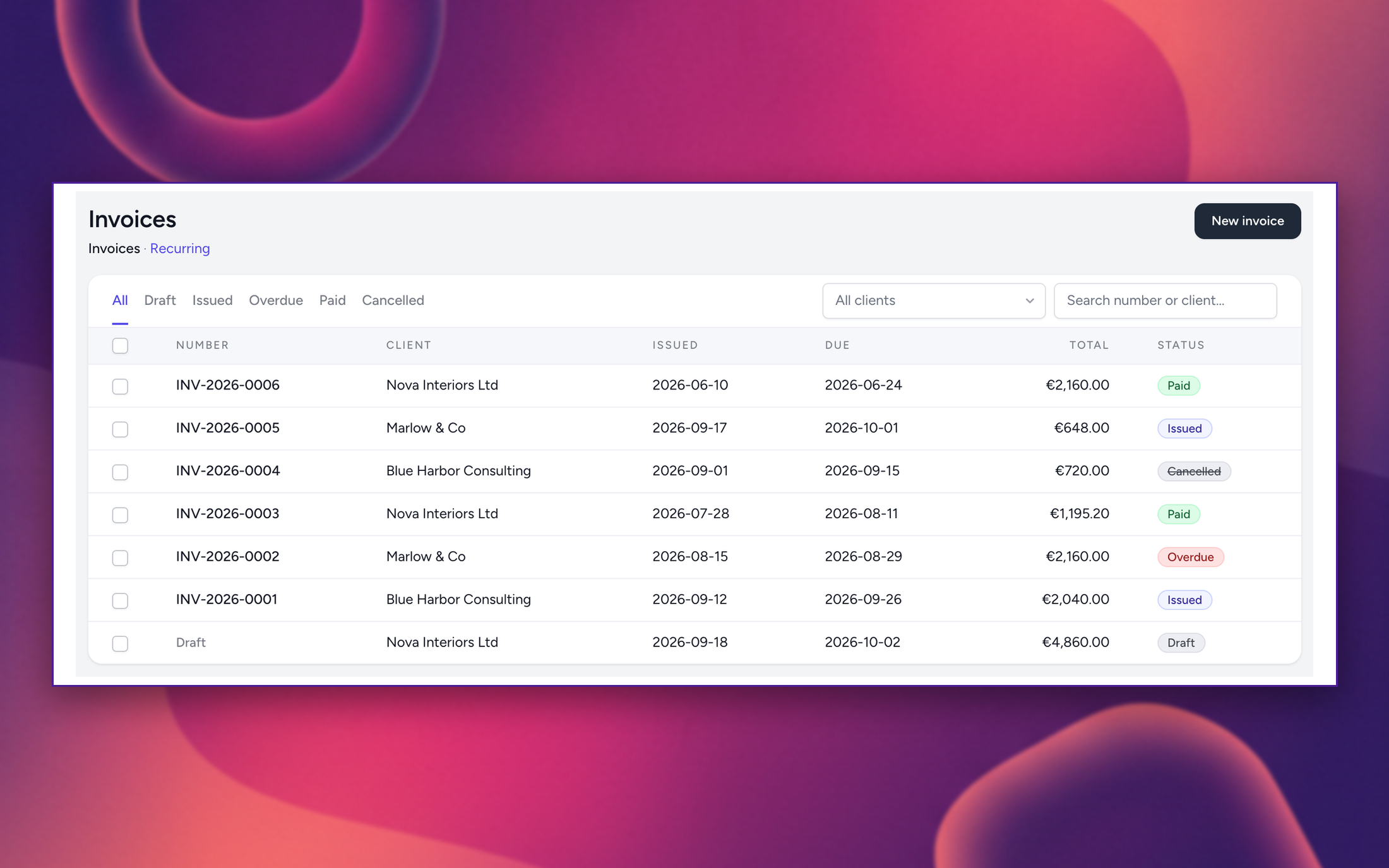
The list shows what's issued, viewed, overdue and paid, with your outstanding total on the dashboard. Send a reminder by hand on any plan, or let Pro email them for you before, on and after the due date. Mark it paid when the money lands.
Paid invoices lock. Cancelling keeps the number reserved and disables the public link.
Then it repeats – with less work each month
Duplicate last month
Copy any invoice, change the dates, issue. The fastest route for repeat clients.
Put it on a schedule
ProWeekly, monthly, quarterly or yearly. The invoice is drafted for you – pause or run it early whenever.
Hand the year to your accountant
ProBulk PDF or XLSX export of any period, ready to send on.
Try it with one real invoice.
Free for 10 a month, no card, no trial period.